Merge Audio and Video
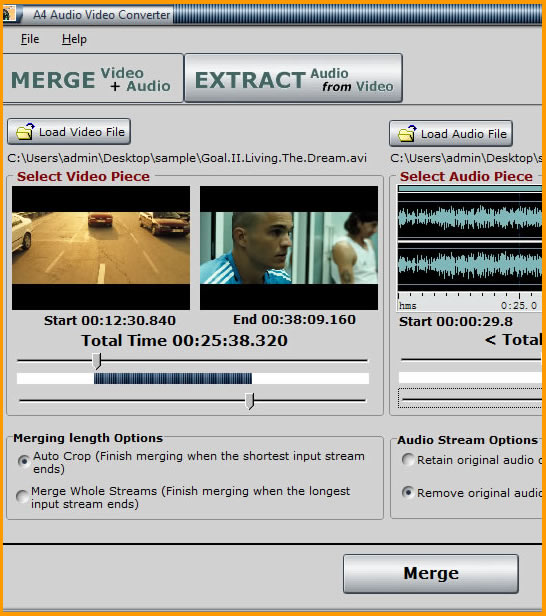
1. Click <Load Video File> button or drag video file and drop it into the preview window to load video file.
2. (Optional) If you want to select the video piece to merge with audio data, just drag the top slider to set the start point and drag the bottom slider to set the end point.
3. Click <Load Audio File>button or drag audio file and drop it into the preview window to load audio file. 4. (Optional) If you want to select the audio piece to mix with video data, just drag the top slider to set the start point and drag the bottom slider to set the end point.
5. Set the options:
<Retain original audio of source video file>: The generated new video file will retain original audio and images of source video file.
<Remove original audio of source video file>: The generated new video file will only retain images of source video file. (The source video file will not be altered)
6. Click <Merge> button to begin merging.
A4 Audio Video Converter

|
A4 Audio Video Converter Help
|